


Chevron
4.812.13K Reviews
App Specs
- Version
- Varies with Device
- Updated On
- License
- Free
- Downloads
- 1,000,000+
- Developer
- Chevron U.S.A. Inc.
- Categories
- Auto & Vehicles
- Platform
- Android, iOS
Screenshots

 Analysis by AppCompare
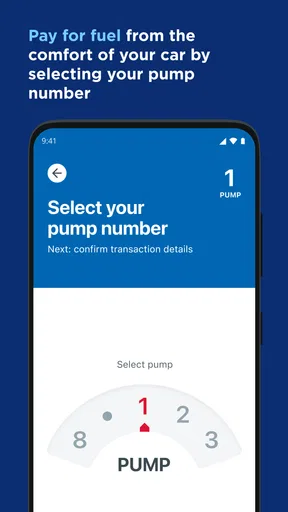
I’d judge Chevron less as an all-purpose driving companion and more as a convenience tool for one specific moment: paying for fuel without getting out of the car. That focus is its clearest appeal. When I’m already at the pump, being able to handle payment from the driver’s seat can make a routine stop feel simpler, especially in bad weather or when I’m traveling with passengers. It is a free auto and vehicle app from Chevron U.S.A. Inc., and its usefulness depends most on whether Chevron stations fit naturally into your usual routes.
Where paying from the car makes a difference
The benefit is practical rather than flashy. A fuel payment app is most helpful when it removes a small, repeated annoyance, not when it asks me to learn a complicated new routine. I can see the appeal for a parent who does not want to leave children unattended, someone with limited mobility, or a driver who wants to avoid handling a payment card at the pump. It won’t make the stop disappear, but it can reduce the number of steps between pulling in and getting back on the road.
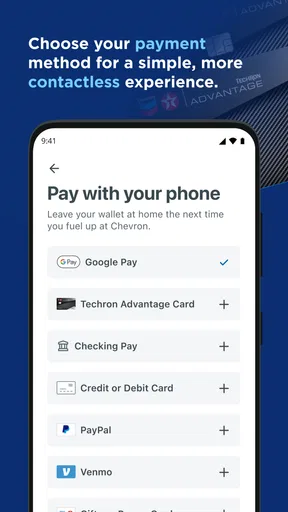
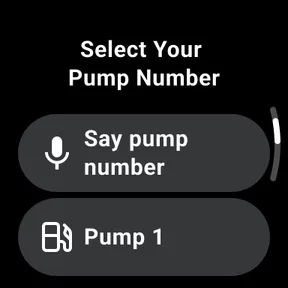
A realistic use case is a rainy weekday commute. I pull into a Chevron station, stay in the car while preparing to fuel, and use the app to pay rather than going inside. The key is to set up and understand the payment flow before I’m in a rush. Trying to learn any payment app while blocking a pump is a poor time to troubleshoot, so I’d get familiar with the process at home and keep a regular payment method available as a fallback.
Useful when Chevron is already on your route
The app makes the strongest case for itself when Chevron is a station I already choose. If I fill up there regularly, opening a dedicated app for payment may become a simple habit. If I usually buy fuel wherever I happen to be, the extra step of checking a branded app may not be worthwhile. The decision is less about whether paying from the car sounds convenient in theory and more about how often I can actually use that convenience on my normal drives.
That also shapes how I’d compare it with the usual alternatives. Paying at the pump with a bank card is familiar and works across many brands, while a general wallet app can be useful in more places if a station accepts it. Chevron’s app is more focused: its purpose is tied to the Chevron fueling experience, so it can be appealing to loyal customers but less useful to drivers who prioritize choosing whichever station is closest or cheapest. I would not install it expecting a universal fuel-payment solution.
A few habits make the experience smoother
Before relying on app payment, I’d check that the station I’m visiting supports the flow I intend to use and follow the on-screen prompts while parked. Stations and pump layouts can differ, and a payment routine that feels obvious after a few visits may be confusing the first time. I’d also keep my phone accessible but avoid interacting with it while driving; the useful moment to open the app is after the car is safely parked.
There is a trade-off in staying inside the car: it saves a walk to the cashier, but it still depends on having a charged phone, a working connection, and a payment method ready in the app. If one of those fails, a physical card or another accepted payment option is the sensible backup. I like app-based convenience, but I would not make it the only way I can pay for fuel.
Worth Reading Before You Choose

EA SPORTS FC Mobile 26 Is a Bigger Football Game, but It Takes Time

Flipboard Shows What News Apps Must Do Beyond the Feed

Switching to Android Auto Means Rethinking Your Driving Routine

Google Calendar Makes a Crowded Week Easier to Manage

Ludo King Makes the Most of the Minutes Between Plans

Baby Panda World Brings Quick Play to Modern Phones, but Its Game Library Feels Busy
Some readers will also wonder whether this is worthwhile if they only stop at Chevron occasionally. In that case, I’d try it only if setting it up is easy and the payment feature solves a real inconvenience. For a driver who rarely visits the brand, a standard card is likely simpler. For someone who regularly fills up at Chevron, the small effort of learning the app may pay off through a smoother stop.
Easy Navigation and User-Friendly Design
First off, the design of the app is sleek and intuitive. Navigating through it feels like a breeze. You know when you download an app and it just feels right? That’s what Chevron achieves. Everything is exactly where you’d expect it to be, which is a huge plus for those of us who don't want to spend ages figuring out where all the features are.
Fuel Up with Ease
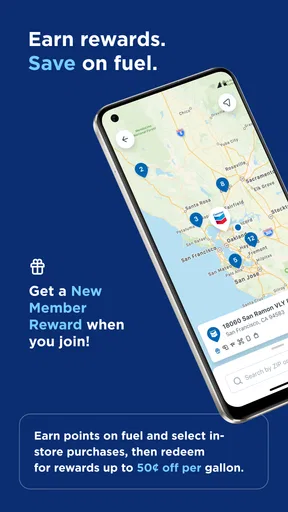
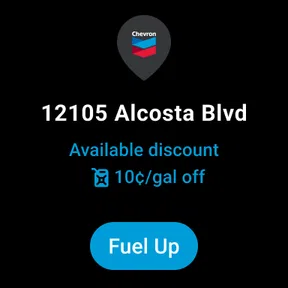
One of the standout features of Chevron is its ability to help you locate the nearest gas stations with real-time updates on fuel prices. If you're always on the go, this feature is a lifesaver. Just open the app, and in seconds, you can compare prices and find the best deal. It’s like having a fuel-savvy buddy right in your pocket!
Rewards that Keep on Giving
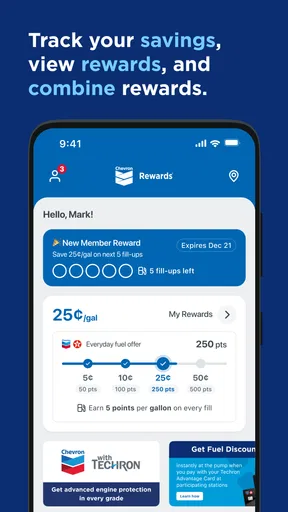
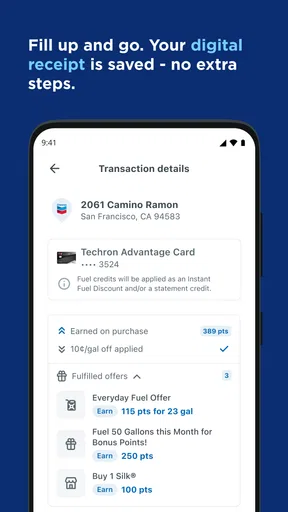
And let’s talk about rewards! I mean, who doesn't love getting something back? With Chevron, you can sign up for their rewards program. Every time you fill up, you earn points that can be redeemed for discounts on future purchases. It's a smart way to save a little extra cash, especially if you're a frequent driver.
Setting up the rewards was super easy, and the app guides you through every step, ensuring you don’t miss out on any savings. It's like the app is cheering you on to get the best out of your fueling experience.
Real-Time Updates and Notifications
One thing I really appreciated about Chevron is how it keeps you in the loop with real-time notifications. Whether it’s a price drop or a special promotion, the app ensures you’re always updated. It’s like having a little insider info every time you need to hit the road.
And these notifications are timely without being intrusive, which is a delicate balance the app manages beautifully. You get the info you need, exactly when you need it.
Conclusion: A Must-Have for Drivers
In conclusion, Chevron is more than just an app; it’s a companion for all your driving needs. Whether you’re looking to save money, earn rewards, or just find the best fuel prices around, this app has got you covered. It’s user-friendly, efficient, and genuinely helpful.
The app has a 4.8 average from around 109,000 ratings, and it has been installed more than a million times. Those figures suggest that plenty of drivers find value in it, though popularity alone does not tell me whether it fits a particular route or routine. It is free, rated for Everyone, and was released in 2019. I’d treat those details as context, not as a reason to expect every feature to suit every driver.
Who should give it a try
I’d recommend it most to people who use Chevron often and want to make fueling a little less disruptive. It may also suit drivers who appreciate keeping a branded fuel-payment option ready for familiar stops. Someone who is comparing stations on every trip, rarely visits Chevron, or prefers to keep payment tools to a minimum may be happier with a bank card or a broadly accepted digital wallet instead.
My overall view is that the app’s strongest idea is also its boundary: it is most valuable when the Chevron stop is already part of your life. The prospect of paying from the car is genuinely convenient, but no app can make that convenience universal across every station or remove the need for a backup plan. If Chevron is a regular choice for you, I’d give it a try and learn the payment flow before your next hurried stop. If it isn’t, there is little reason to add another app just for the possibility of using it someday.
If you haven’t tried it yet, I’d say give it a shot. Who knew fueling up could be this rewarding?
Pros
- User-friendly interface for easy navigation.
- Comprehensive fuel station locator feature.
- Secure payment options integrated seamlessly.
- Detailed transaction history for easy tracking.
- Rewards program enhances user engagement.
Cons
- Limited international station availability.
- Occasional app crashes reported by users.
- Rewards program not available in all regions.
- High data usage for map features.
- Payment methods may not support all banks.
FAQs for Chevron
What is Chevron and what can I do with it?
Chevron is an innovative app designed to streamline personal finance management. It allows users to track spending, create budgets, and analyze financial habits. With its user-friendly interface, you can link multiple bank accounts, set savings goals, and receive personalized financial advice to help manage your finances more effectively.
Is Chevron available for both Android and iOS devices?
Yes, Chevron is available for download on both Android and iOS platforms. You can find it on the Google Play Store for Android devices and the Apple App Store for iOS. The app is designed to work seamlessly across both operating systems, ensuring a consistent user experience.
Does Chevron require an internet connection to function?
While Chevron offers some offline features, such as viewing recent transactions and budgets, an internet connection is required for real-time updates, syncing bank accounts, and accessing personalized financial advice. Ensuring a stable connection will enhance the app's functionality and provide the most accurate financial insights.
How does Chevron ensure the security of my financial data?
Chevron employs advanced encryption technologies to protect your financial and personal information. The app uses secure connections to sync with your bank accounts and adheres to industry standards for data privacy. Additionally, users have the option to enable biometric authentication for added security when accessing the app.
Are there any in-app purchases or subscription fees for using Chevron?
Chevron offers a free version with core features accessible to all users. However, there is a premium subscription available, which unlocks additional features such as advanced financial analytics, personalized advice, and priority customer support. The subscription is optional and is billed on a monthly or annual basis.


